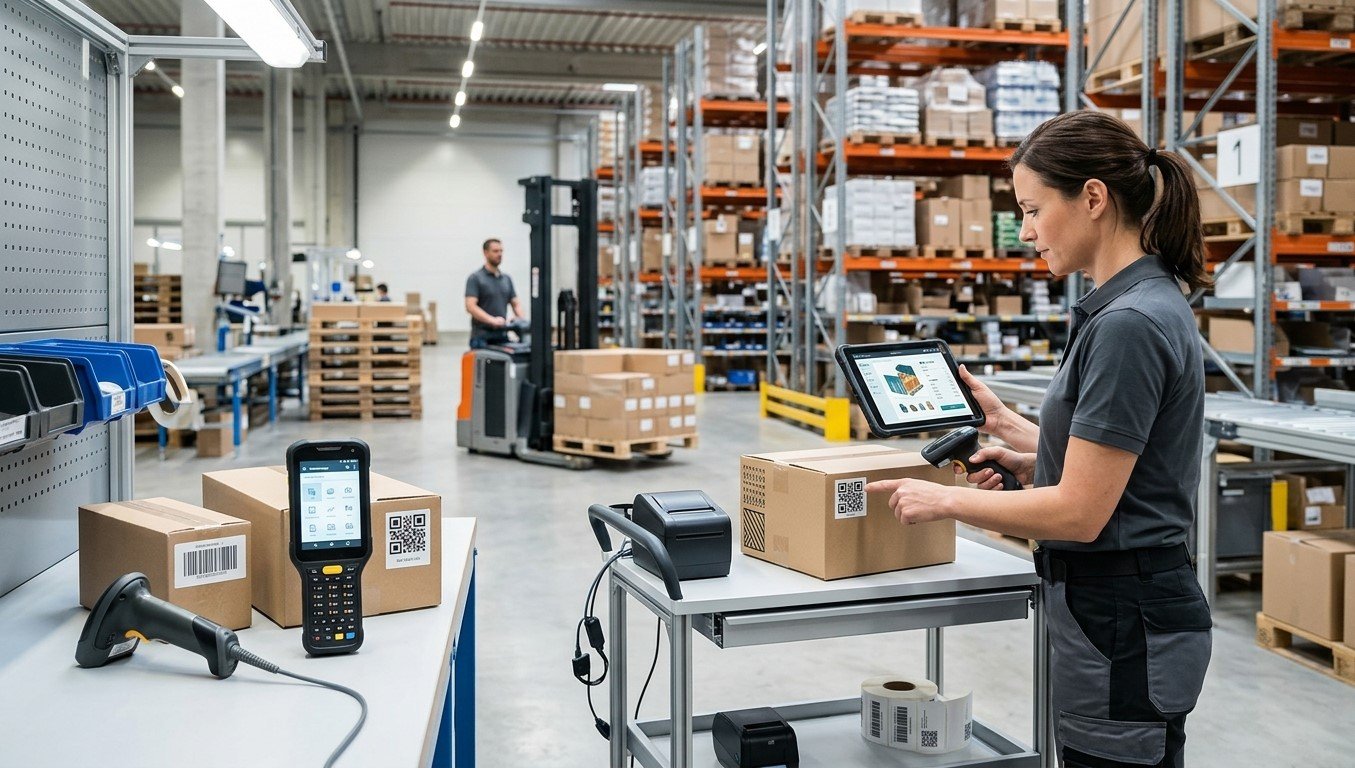
Barcode labels help businesses identify products, track inventory, manage shipments, and maintain accurate records. However, as operations grow or business requirements change, companies may need to switch to a new barcode label format. This change could involve using a different barcode type, adjusting label dimensions, updating encoded information, or redesigning the label layout.
Although a new format may improve efficiency, switching without proper planning can lead to scanning errors, printing issues, inventory discrepancies, and compatibility problems.
Businesses can reduce these risks by evaluating their current systems, testing new labels, and preparing employees before implementation. Pointus Solutions helps businesses explore barcode technology and identification solutions, while Shop Barcode and its range of Printing Products can support businesses reviewing their barcode labeling requirements.
Table of Contents
- Why Do Businesses Change Barcode Label Formats?
- Check Compatibility with Existing Systems
- Review Barcode Size and Label Materials
- Test the New Format Before Implementation
- Update Software and Train Employees
- Frequently Asked Questions
- Conclusion and Call to Action
1. Why Do Businesses Change Barcode Label Formats?
Businesses may switch barcode label formats for several reasons:
- Changing business requirements: New products or packaging may require different label dimensions.
- Improved scanning performance: A revised design may improve readability and reduce scanning failures.
- Industry requirements: Retailers, suppliers, or logistics partners may require specific barcode standards.
- Better product tracking: A different barcode format may support serial numbers, batch numbers, or additional data.
- Printing efficiency: Standardized label sizes and layouts may reduce waste and simplify production.
Before making a change, identify the problem the new format is intended to solve. This helps businesses choose a suitable solution instead of making unnecessary adjustments.
2. Check Compatibility with Existing Systems
One of the most important considerations is whether the new barcode format works with existing business technology.
Scanner Compatibility
Not every scanner supports every barcode type. For example, some laser scanners can read many linear barcodes but cannot read two-dimensional formats such as QR Codes or Data Matrix codes.
Confirm that scanners, mobile computers, and fixed scanning equipment can read the proposed format.
Software and Database Compatibility
Check whether inventory systems, warehouse management software, and point-of-sale applications can interpret the new barcode data correctly.
If the encoded identifier changes, ensure that the corresponding product records are updated or mapped appropriately. Otherwise, scanning a label may return incorrect information or no record at all.
Industry Standards
Businesses supplying products to retailers or logistics partners should confirm that the new format meets relevant customer specifications and industry standards before printing new labels.
3. Review Barcode Size and Label Materials
A barcode format change may affect label dimensions, placement, and printing requirements.
Choose the Right Label Dimensions
Ensure that the barcode has sufficient space, appropriate dimensions, and the required clear area around it. Avoid shrinking barcode artwork excessively to fit existing packaging.
Check Label Material and Adhesive
Consider whether the new label will be applied to cardboard, plastic, metal, or curved packaging. The material and adhesive should suit the product’s surface and operating environment.
Confirm Printer Compatibility
Review printer resolution, supported media dimensions, print settings, and ribbon requirements where applicable. Testing helps identify problems such as blurred bars, smudging, or misalignment.
Businesses exploring Shop Barcode and other Printing Products should prioritize compatibility with their existing equipment and labeling conditions.
4. Test the New Format Before Implementation
Avoid replacing every existing label immediately. A controlled pilot test can reveal issues before they affect daily operations.
Follow these steps:
- Print sample labels using the proposed format.
- Apply them to actual products and packaging.
- Scan them with the equipment used in daily operations.
- Confirm that the correct information appears in connected software.
- Test labels under normal handling, storage, and transportation conditions.
- Correct any problems before expanding the rollout.
For applications with formal quality requirements, use a barcode verifier to assess print quality against the applicable standard.
5. Update Software and Train Employees
A successful transition requires more than changing the printed label.
Update barcode templates, product records, printing software, and relevant operating procedures. If the new format changes product identifiers, establish a clear process for managing old and new codes during the transition.
Train employees to recognize the new labels, scan them correctly, and report errors. Where products with old labels remain in circulation, determine how both formats will be handled and when the old format can be retired.
Maintain a record of the change, including the implementation date, affected products, testing results, and responsible personnel. This makes troubleshooting easier and supports consistent processes across locations.
6. Frequently Asked Questions
1. Why would a business need a new barcode label format?
Businesses may need a new format because of changing packaging, scanning requirements, customer specifications, industry standards, or improved tracking needs.
2. Will a new barcode format require new scanners?
Not always. Existing scanners may support the new format, but compatibility should be confirmed before implementation. Two-dimensional barcodes may require imaging scanners if current equipment supports only linear barcodes.
3. Can businesses use old and new barcode formats together?
Yes, during a transition, provided the scanning equipment and software can handle both formats and the identifiers are managed correctly.
4. How can businesses prevent scanning problems after switching?
Test sample labels on real products, verify software compatibility, check print quality, and train employees before rolling out the new format.
5. Should businesses replace all existing labels immediately?
Not necessarily. A phased rollout may be safer, especially when products with existing labels remain in warehouses or distribution channels.
7. Conclusion and Call to Action
Switching to a new barcode label format can help businesses improve scanning performance, support changing product requirements, and streamline labeling operations. However, success depends on careful planning, system compatibility, label testing, and employee training.
Before making the change, assess your current equipment, confirm the requirements of your business partners, and test the new format under real operating conditions.
For barcode technology and identification solutions, explore Pointus Solutions. Visit Shop Barcode to review relevant barcode products, and browse Printing Products to find equipment and supplies that support your labeling needs. A well-planned transition can help your business maintain accurate identification and reliable operations.